Guides / Pro
Scriber
PRODraw a plate freehand with your finger and turn it into a cutting file.
What it is for
For shapes that do not fit a pattern. You draw with your finger on a grid; lines snap and you type every size exactly. The largest closed shape is the plate, anything inside it is a hole. In the app it is still called Drawing board for now.
Where to find it
Calculator → Drawing board.
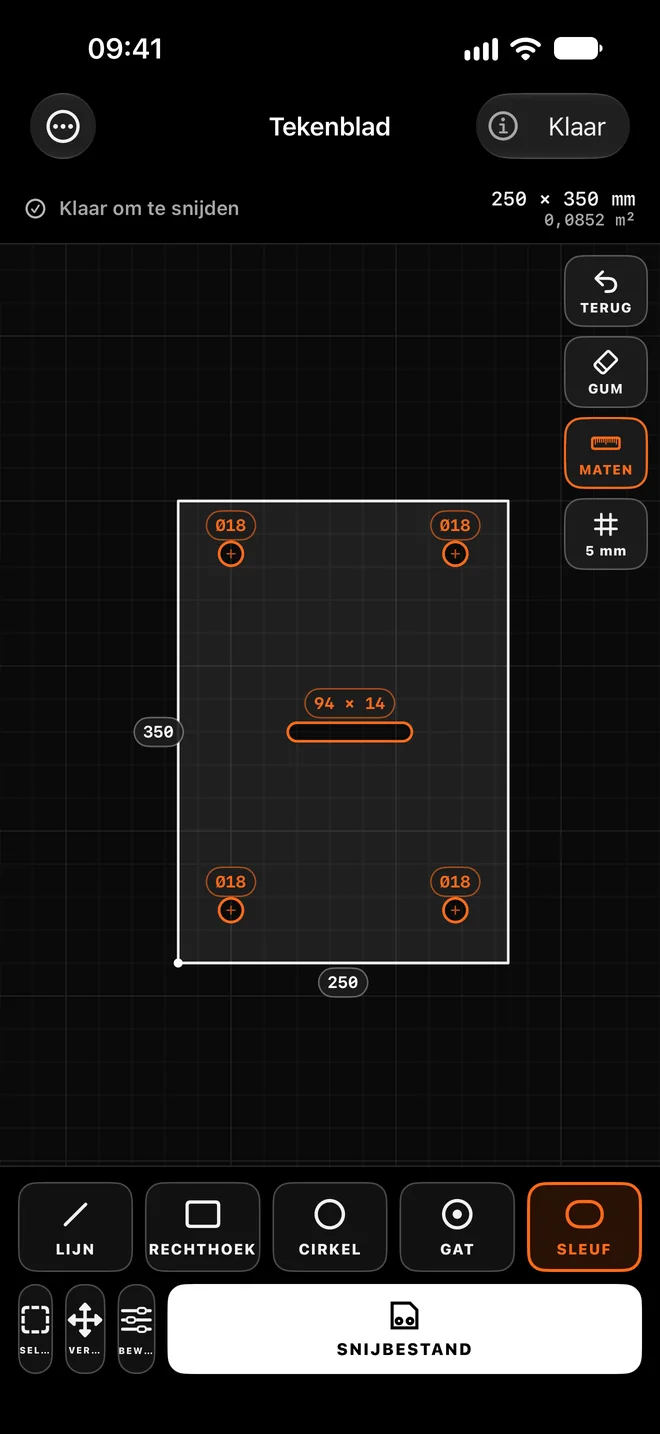
Step by step
Draw the outline
With LINE or RECTANGLE. Lines snap to 0°, 45° and 90° and to points on other parts. Draw with one finger, zoom and pan with two.
Make the sizes exact
Tap a dimension and type the right value. SIZES shows or hides the dimension labels.
Place the holes
With CIRCLE, HOLE or SLOT inside the outline.
Edit
SELECT a part and open EDIT: copy, paste, duplicate, rotate, mirror, offset, trim, extend, fillet or chamfer a corner. ERASE deletes, UNDO steps back.
Make the cutting file
When it says "Ready to cut", tap CUTTING FILE. You get the same DXF as in Plate → DXF, with net area and cut length.
Tips for the best result
- Pick the grid size under GRID. With the lock on it stays the same as you zoom.
- Drag a box from left to right to select what lies inside it, from right to left to also select what it touches.
- Draw one plate per sheet. A shape outside the plate gives a warning.
Questions
Can I photograph a sketch instead of drawing?
Not yet. "Sketch → Scriber" is in development: a photo of a dimensioned sketch will then open as a drawing.